
Lightbox: a free geophysics grid viewer that runs in your browser
Open a GeoTIFF, ER Mapper or Geosoft grid in your browser, with nothing uploaded. Restretch it, move the sun, add a 1VD, draw your interpretation with proper map symbols and export it as a shapefile in the grid's own coordinate system. It's free.
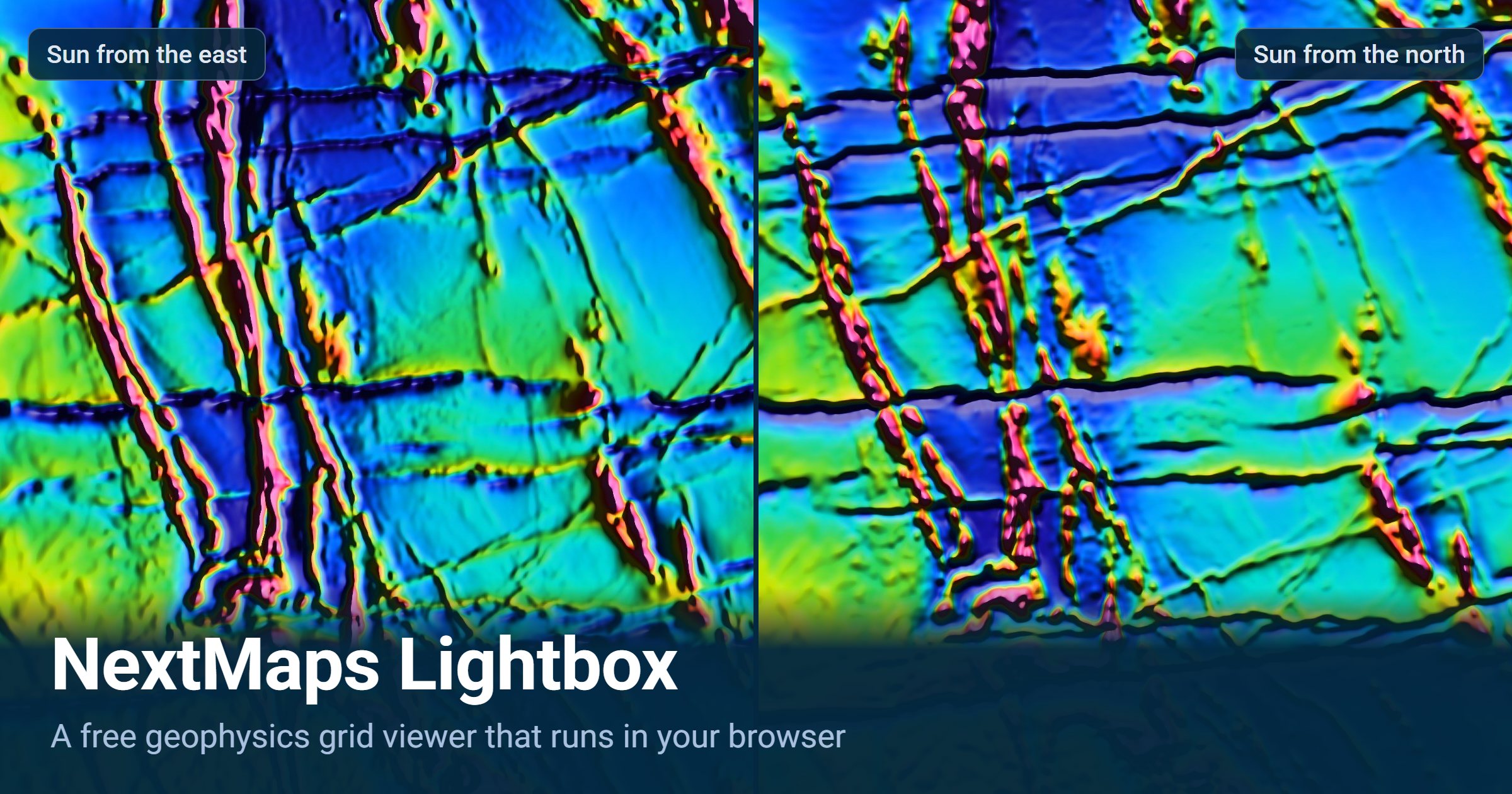
Lightbox is a geophysics grid viewer that runs in your web browser. Open a magnetic, gravity, radiometric or elevation grid, bring out its structure, draw your interpretation over it and take that back to your GIS. Your files are read on your own computer and never uploaded. It's free. Upload your imagery and uncover new structures.

Here is one grid, GSWA's RTP over the Widgiemooltha dyke swarm, with nothing changing but the sun. Lit from the east, the north-south trends stand up. Swing the light round to the north and the east-west dykes come through.
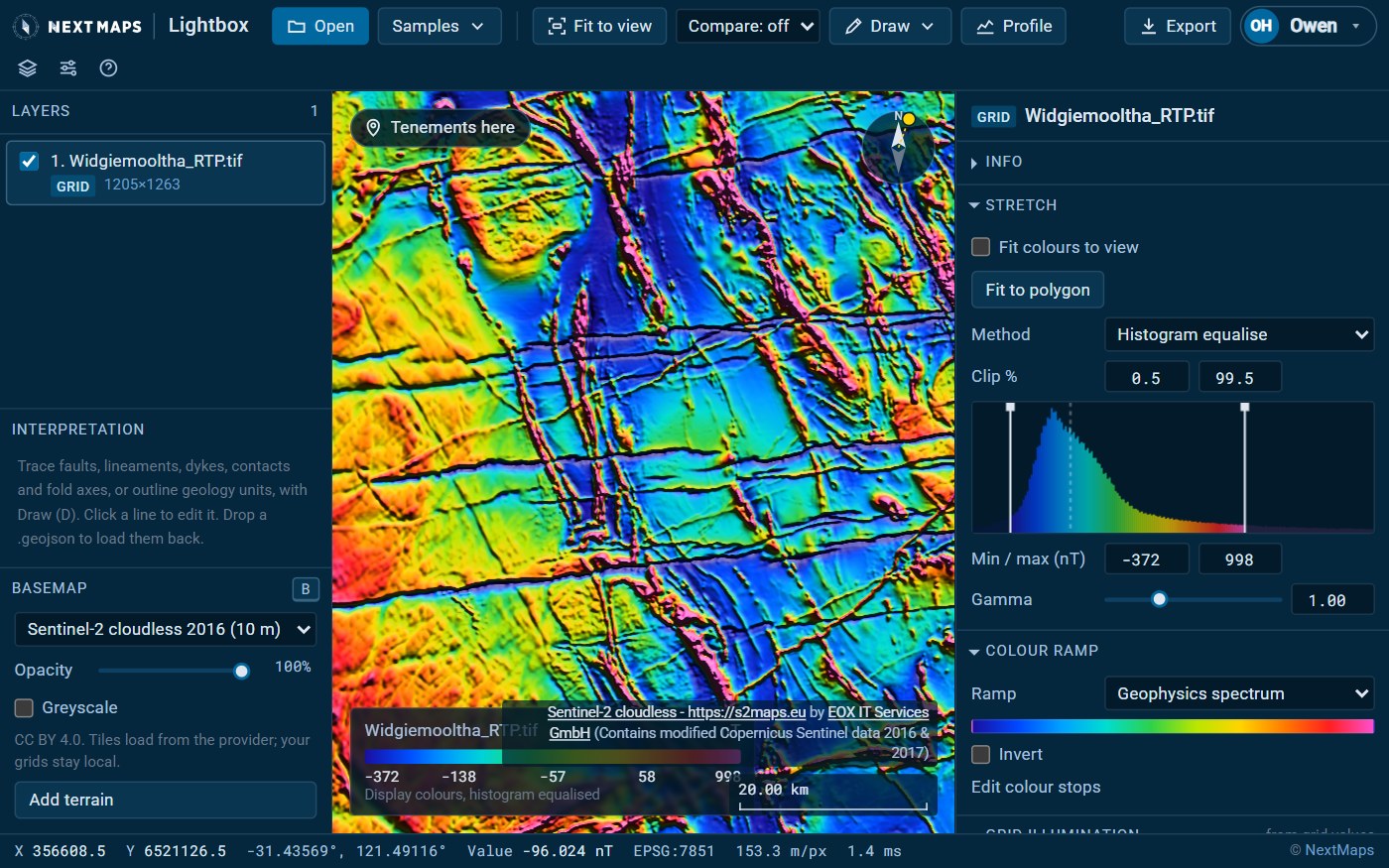
Open your own grids
- GeoTIFF (Cloud Optimized GeoTIFFs too), ER Mapper (the .ers header with its data file) and Geosoft .grd (with its .grd.xml). Drop several files at once and each becomes a layer.
- Any coordinate system. Lightbox knows 5,306 EPSG systems, each checked against the PROJ library to within a metre, and reads the WKT in .prj, .aux.xml and .grd.xml side files. Grids in different systems line up on the fly. If a grid does not say what it is in, search for the system by name or code: "mga 51" or "28351" both work.
- Real values. The status bar shows the value stored in the file under your cursor, whatever the display is doing.
- Nothing uploaded. Your grids are decoded in the browser and NextMaps never receives them. Usage analytics record which tools get used, never file names, coordinates or values.
- Your work keeps. Lightbox saves your session in the browser as you go and offers it back next time. A project file (Ctrl+S) puts everything, grids included, in one file you can open on another computer or hand to a colleague.
It does not open Surfer or netCDF grids that also use .grd (save them as GeoTIFF first), or ECW and MrSID images, whose decoders are licensed for desktop software only. Those are usually a coloured picture of a grid anyway, so ask for the grid itself. Grids over 40 million cells open as an overview; crop to your area for every cell.
Bring out the structure
Everything here changes the display only, worked out live from the grid's own values.
- Stretches: histogram equalise, percentile clip, standard deviation, min-max or manual, with gamma, and ten colour ramps including the colour-blind-safe viridis and cividis.
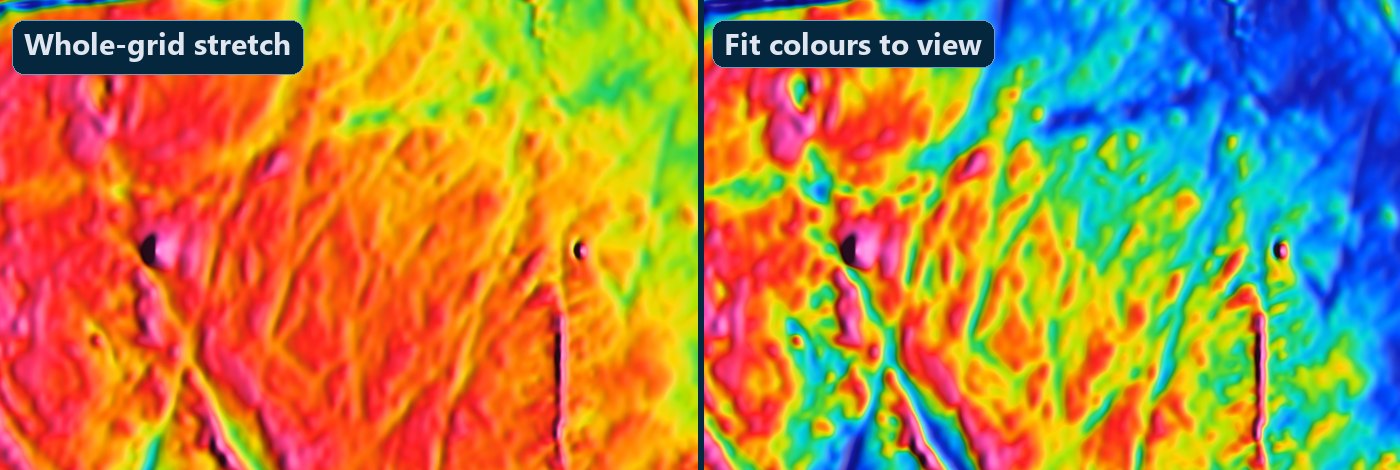
- Fit colours to view spreads the ramp over what is on screen, so a subtle anomaly in quiet ground gets the full range of colour. The colour bar then says where that range sits in the whole grid, for example "the 32nd to 41st percentile", so a fitted red is not mistaken for a real high.
- Fit to a polygon takes the stretch from inside one boundary only, such as your tenement dropped in as GeoJSON, so a BIF ridge or a granite contact next door no longer flattens what is inside it.
- Move the sun. Shading is calculated from the grid at every pixel. Drag the sun dial, or Shift-drag on the map towards where the light should come from. Structures across the light stand out and those along it fade, so sweep it round. Six suns lights every strike at once.
- Derivatives: a first vertical derivative (by FFT) and a tilt derivative, each added as a new layer.
- Compare: swipe a divider between two layers, or view them side by side, panning and zooming together.
- Profiles between two points, saved as CSV with coordinates and values.
- Basemaps and terrain: Sentinel-2 cloudless imagery, Esri World Imagery or OpenStreetMap under your grids, and a shaded terrain layer for anywhere in the world.
Interpret it
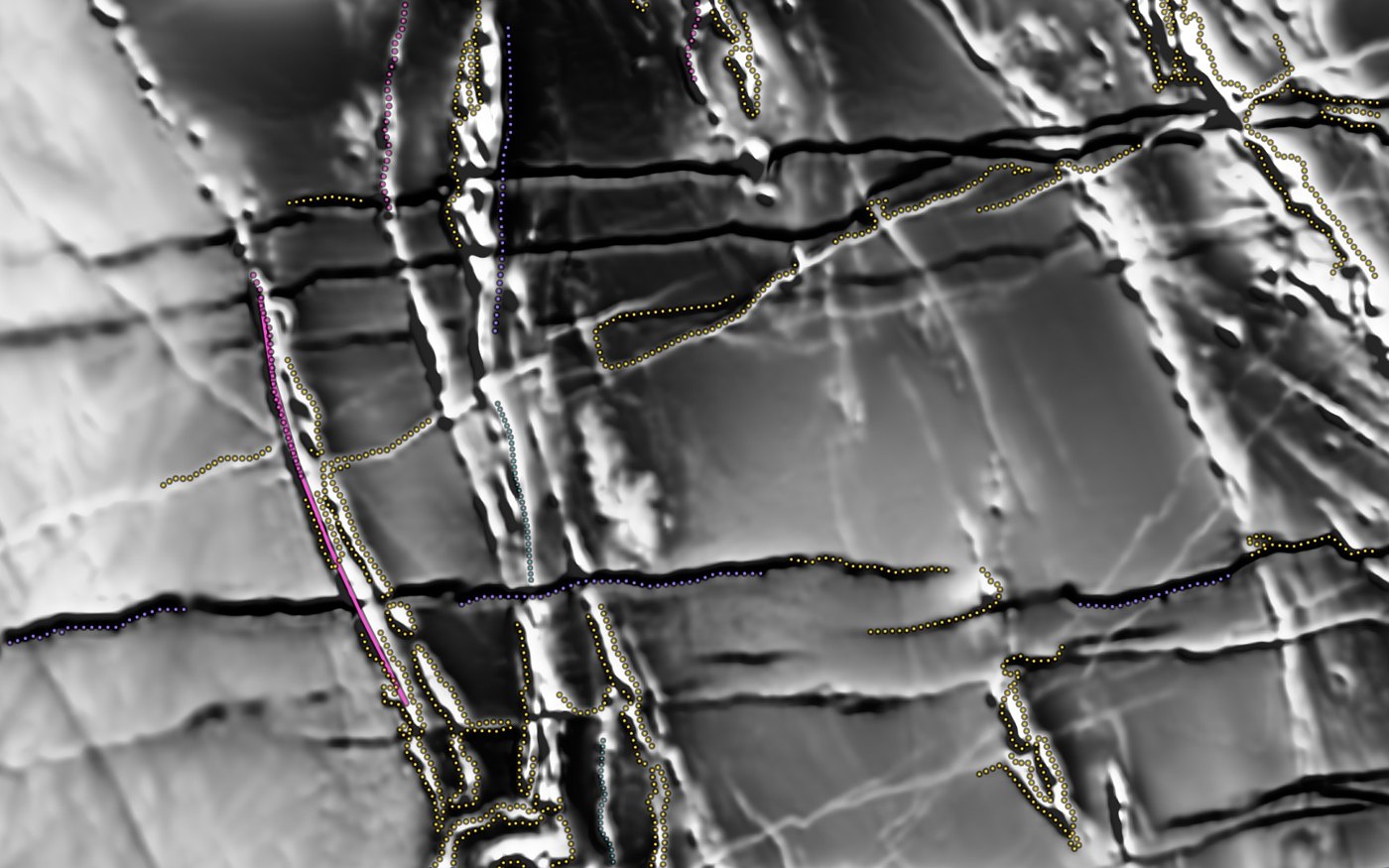
Draw your interpretation with the symbols of the FGDC geologic map standard: faults (normal, reverse, thrust, dextral and sinistral), shear zones, magnetic lineaments, form lines, dykes and reversely magnetised dykes, contacts, folds, palaeochannels and geology unit polygons. Each line takes a confidence (certain, inferred or speculative), new points snap to existing lines, and a contact can end exactly on a fault.
Auto-trace (beta) proposes lines for the area in view in a few seconds, worked out in your browser: dykes, reversely magnetised dykes, form lines and contacts. It does not trace faults. It was tuned on WA magnetics and works best on an RTP grid. Treat it as a first pass to check against the grid, not an interpretation: drag Fewer / More to keep only the strongest lines, keep what you believe and bin the rest.
Take it back to your GIS
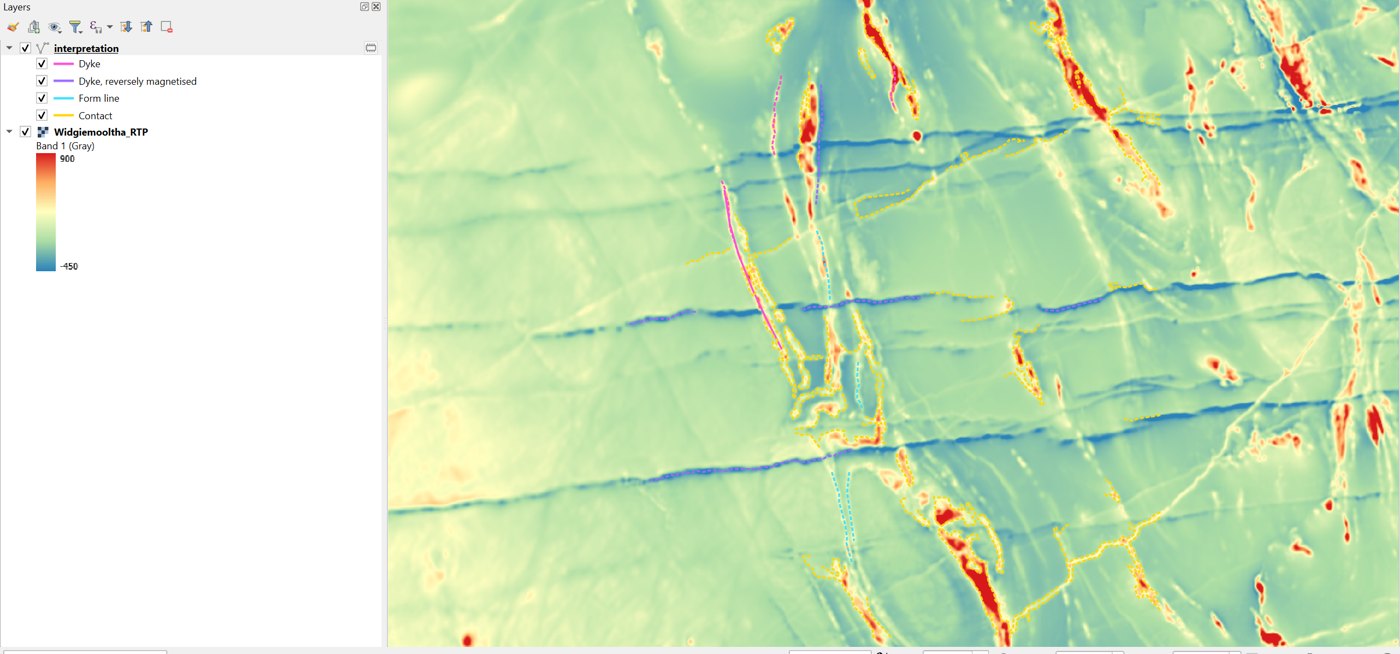
Export your lines as a shapefile, in the map's own coordinate system with a matching .prj, or as GeoJSON. The interpretation above went out as 74 lines in GDA2020 / MGA zone 51 and opened in QGIS exactly where it was drawn, with name, type, confidence and length on every line.
There are also PNG images of the view at up to four times screen resolution with a legend strip, rendered GeoTIFFs for report figures, visualisation presets to apply one grid's look to another, and share links. A share link carries the view, the settings and your interpretation but never the grids, and it all sits after the # in the address, which browsers never send to a server.
WA statewide data
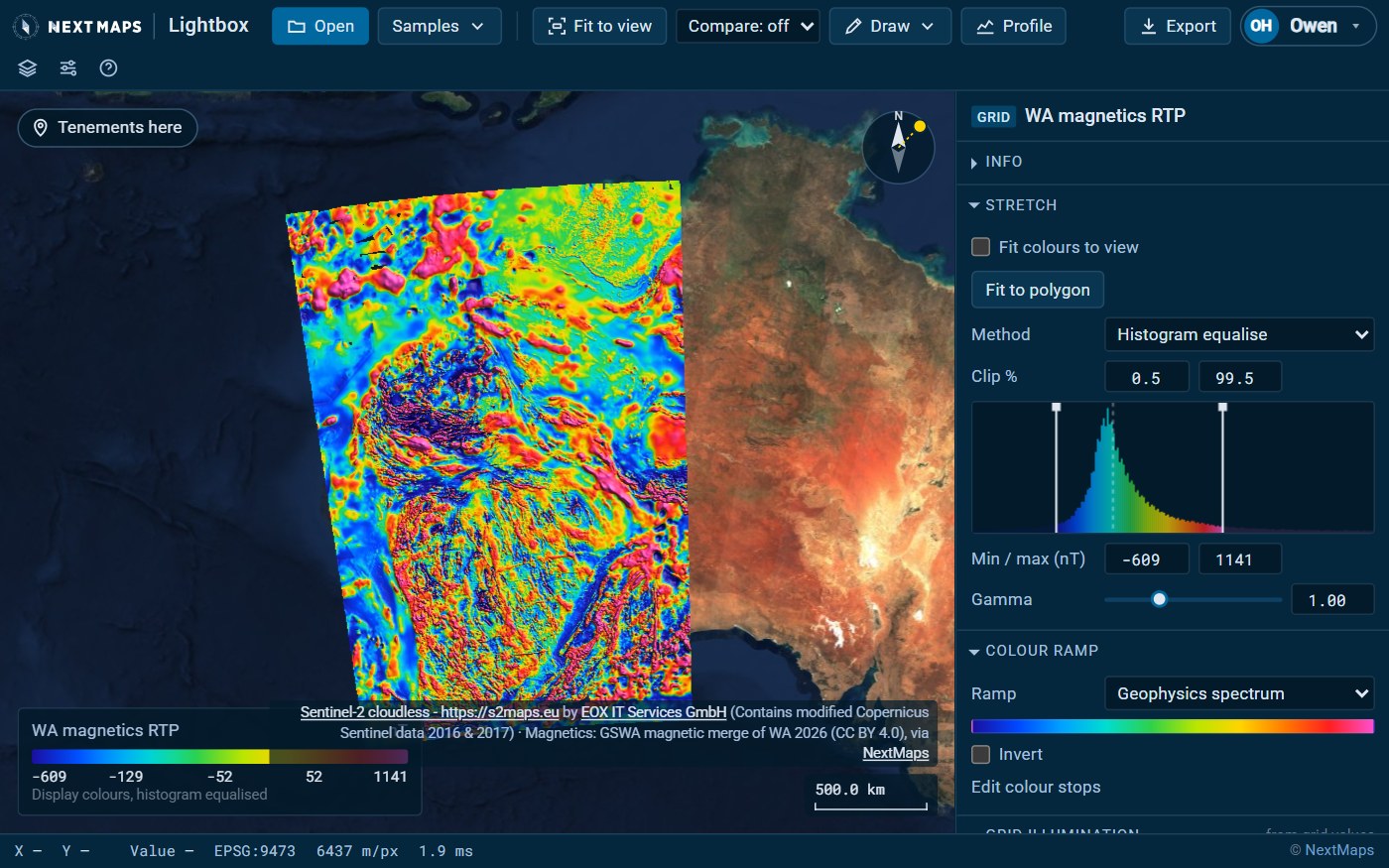
If you work in Western Australia, choose Samples, WA statewide data to add GSWA's statewide grids as real grid layers, with real values:
- Magnetics: TMI at 20 m; RTP and the first vertical derivatives of TMI and RTP at 40 m.
- Radiometrics at 40 m: potassium, thorium, uranium and dose rate.
- Gravity at 400 m: Bouguer, isostatic residual, first vertical derivative and tilt.
- Elevation: Geoscience Australia's SRTM DEM-S.
A product loads the whole state at overview resolution and fills in detail as you zoom. Over WA, the Tenements here link opens the same ground on the NextMaps map, with the tenements, applications and WAMEX reports. With NextMaps Premium, Send to NextMaps map puts your interpretation in My Layers over the tenements. Only the lines go, never your grids.
What's free
Anyone can open grids and look at them. A free NextMaps account unlocks the rest: stretches, colours and shading, derivatives, compare, drawing, Auto-trace, profiles, exports and the WA statewide data. Sending an interpretation to the NextMaps map is part of Premium. Lightbox is built for a laptop or desktop, and works on a phone or tablet for a look.
Open Lightbox, drop in a grid and drag the sun round. The user guide covers every tool, and the Lightbox page has the short version. If it won't open something you work with, tell us what it is. Demo video avalaible here
Track WA tenements and find ground to peg, sell or buy
NextMaps gives exploration companies and investors instant visibility over the full WA tenement landscape.
Get started →