
Never miss a WA tenement deadline: rent, Form 5 and reports in one calendar
97 live WA titles are more than a month late on rent, and 82 on a Form 5. Every title runs on its own calendar, and a book of them is a lot of dates to keep straight. The new NextMaps compliance manager reads every deadline on your titles from the DMPE register each morning, ticks them off when the register shows them done, and reminds you before they fall due.
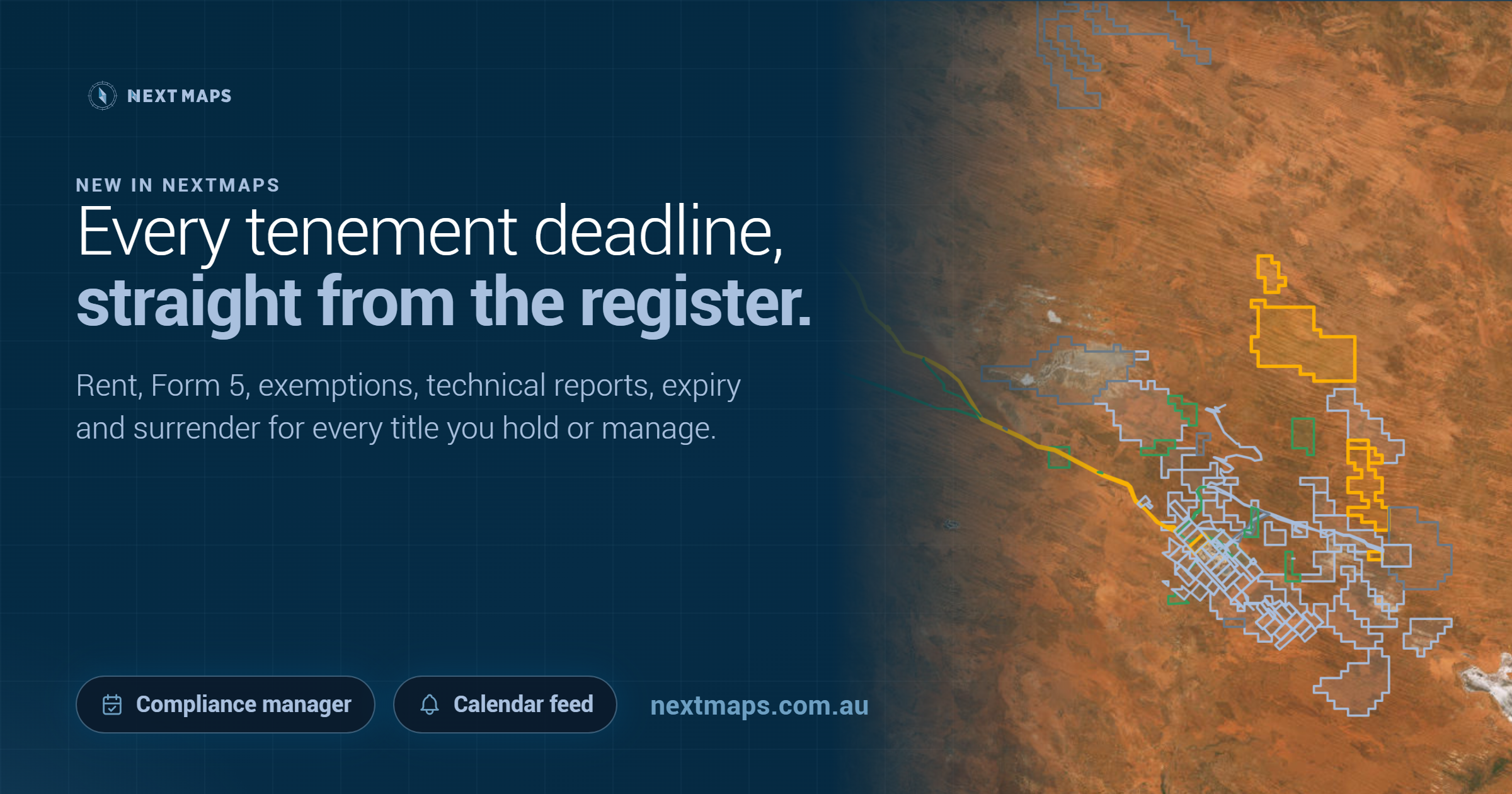
On the WA register of 1 October, 97 live titles were more than a month late on their rent, past the one-month grace period. Another 82 were more than a month late lodging a Form 5. And 270 had a forfeiture application or plaint on foot.
Some of those will be holders letting ground go on purpose. Others are deadlines that slipped: a rent date nobody diarised after a transfer, or a title that came with an acquisition and never made it onto anyone's list. That second group is the part worth fixing.
So we have built a compliance manager into NextMaps. It reads every deadline on your titles from the DMPE register each morning, ticks them off when the register shows them done, and reminds you before anything falls due. It is live now for Pro members.
Every title runs on its own calendar
Each WA title has its own anniversary, and almost every obligation hangs off it. Rent is due in advance on the anniversary. The Form 5 for the year is due within 60 days after it ends, and so is the exemption application if spend fell short. The technical report has its own date, or the date of its combined reporting group. Then there is expiry, and for many exploration licences a compulsory 40% surrender at the end of year six.
One title is easy to keep on top of. Forty titles with forty different anniversaries is a spreadsheet someone has to keep right every week of the year. A title manager running books for dozens of clients is holding thousands of dates.
Build a portfolio in a minute
A portfolio is a list of titles you look after: your own ground, a project, or one client's book. There are three ways to fill one:
- Paste the title IDs, in any spelling, or load them from a CSV.
- Pick a holder and every title they hold comes in.
- Pick an ASX company or ticker and every title held by every entity in its group comes in, using the ownership map we launched last week.
Follow a holder or a company and the portfolio stays current. Titles they take up later are added each morning, and you are told when it happens.
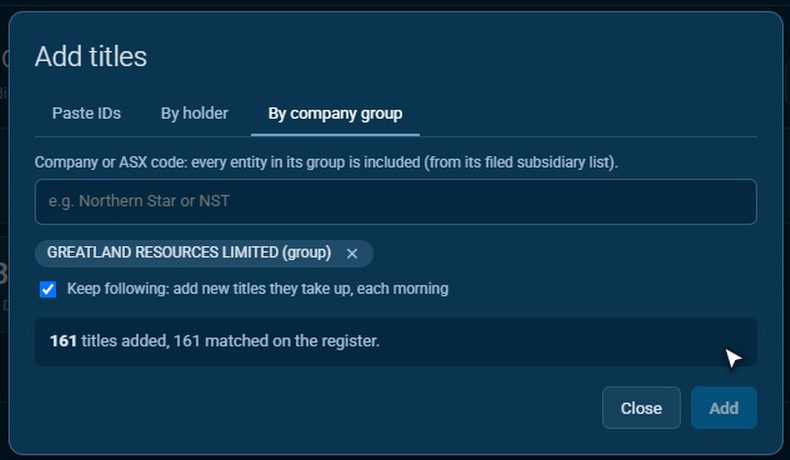
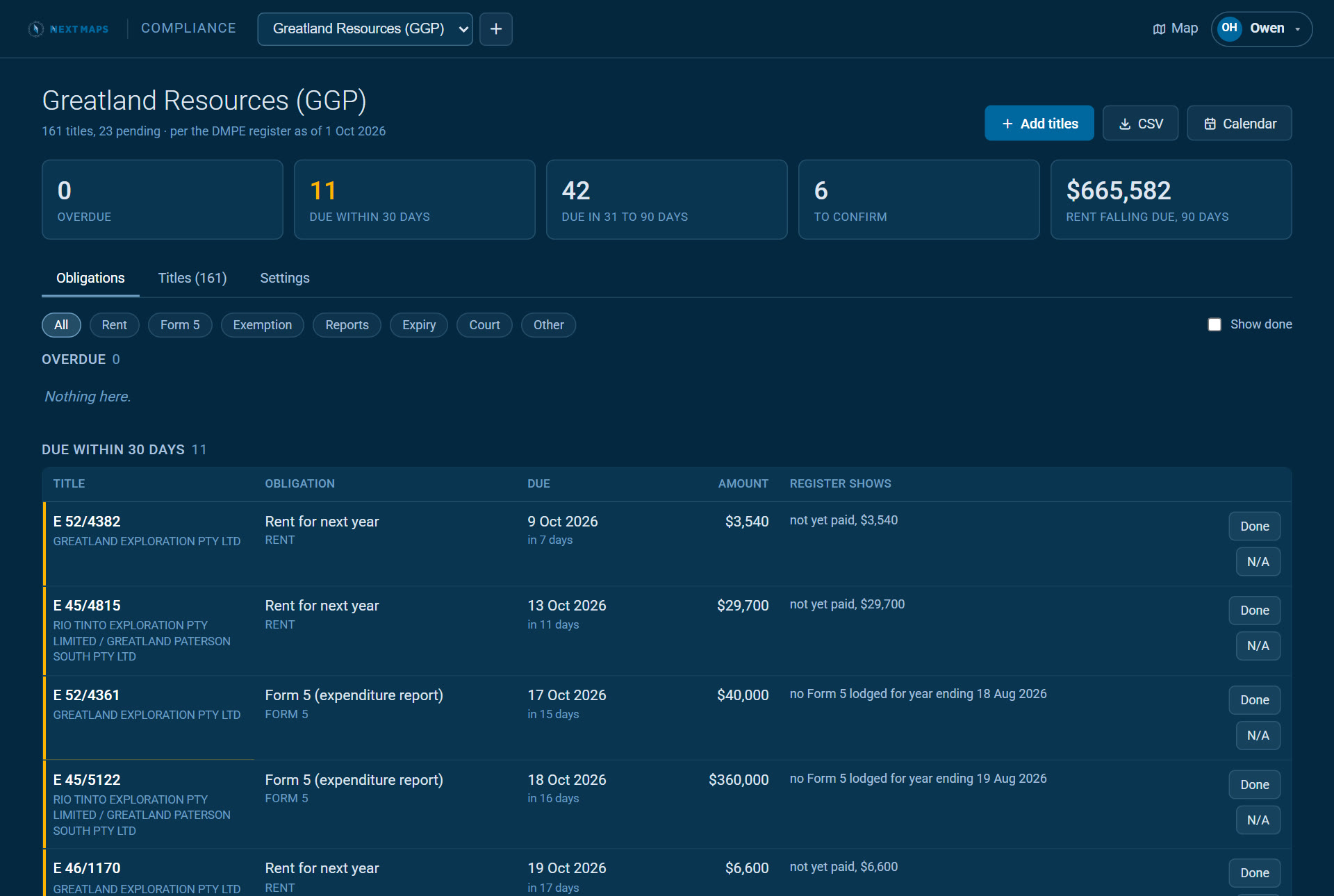
Here is what that looks like for Greatland Resources. Typing GGP brought in all five of its WA entities: 161 titles, 23 of them still applications. On the register of 1 October nothing was overdue, 11 items fell due within 30 days, and $665,582 of rent was due over the next 90 days.
What it tracks
- Rent. Payable in advance at each anniversary, with a one-month grace before a penalty or liability to forfeiture. Shown with the amount the register holds.
- Form 5. The operations report on each year's expenditure, due within 60 days after the end of the tenement year, plus a final one when a title ends.
- Exemption from expenditure. When spend falls short of the minimum, the Form 18 application is due within the same 60 days.
- Technical reports. Due within 60 days after each anniversary, or on the combined reporting group's date.
- Expiry and extension. Every expiry date, and whether an extension or renewal has been lodged before it.
- Compulsory surrender. Exploration licences applied for after 10 February 2006 with more than 10 blocks shed 40% at the end of year six. Shown with the date and how many blocks you keep.
- The Warden's Court. Forfeiture applications and plaints against your titles, flagged in your alerts. (Our Before the Warden layer puts the same cause lists on the map.)
Everything is grouped by urgency: overdue, due within 30 days, 31 to 90 days, and later. The only thing you type in is which titles are yours.
It ticks itself off, and shows its working
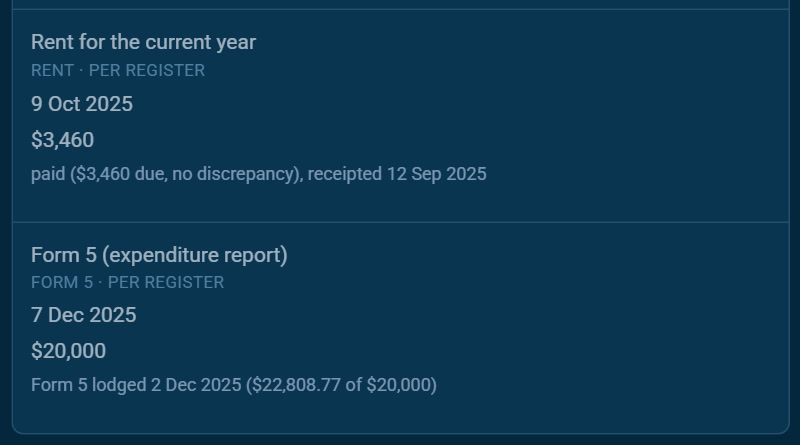
When the register shows rent receipted or a Form 5 lodged, the item marks itself done. Every status carries the register entry behind it. "Paid" comes with the amount, whether there was a discrepancy, and the date it was receipted.
Technical reports are the exception. The register does not record their lodgement, so you tick those off yourself, with a note for your team such as the WAMEX A-number.
You can also record spend to date on any title. The register only learns the year's figure from the Form 5, after the year has ended. Enter it as you go and a shortfall shows up while there is still time to spend or apply for an exemption.
Reminders, a calendar feed and free viewers
- Email reminders at the lead times you choose, from 90 days out to the day before.
- An alert the morning something goes overdue or a matter is listed in the Warden's Court.
- A Monday digest of the weeks ahead.
- A calendar feed for Outlook or Google that keeps itself up to date, with a reminder two weeks before each due date.
- The whole list as a CSV whenever you need it.
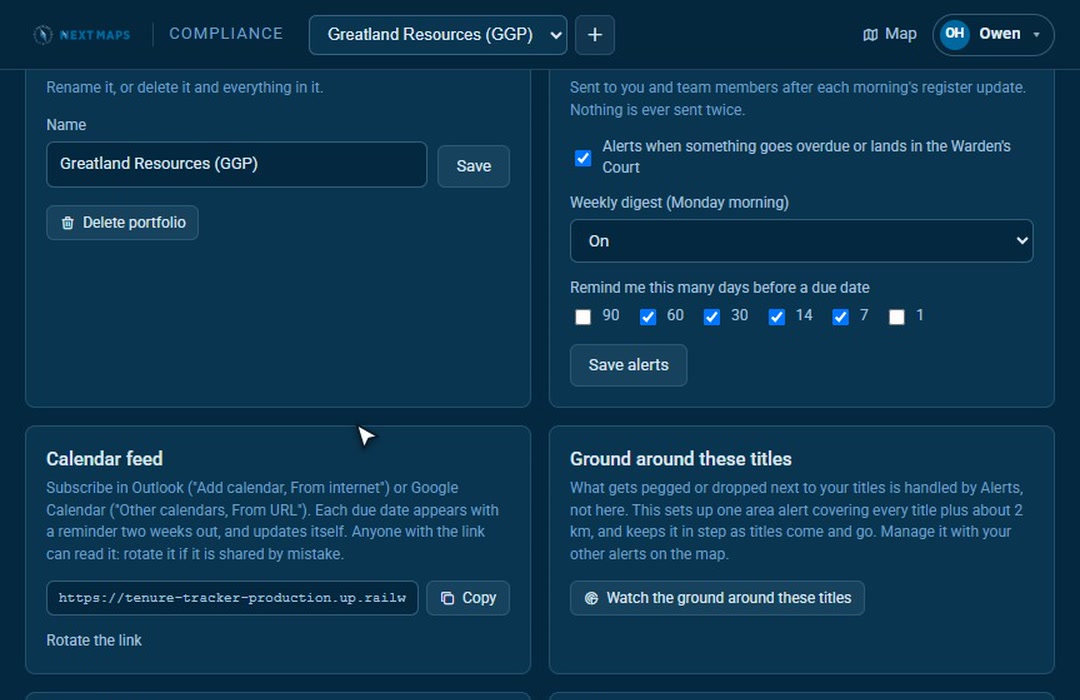
Share a portfolio with up to 20 people. Viewers are free and need no plan of their own, so a client or a director can see the portfolio and get its reminders. Editors can add titles, tick items off and record spend, and need their own Pro.
Your portfolio on the map
On the map, open My Layers and turn on a portfolio under Compliance portfolios. Its titles are outlined by their most urgent status: amber for anything due within 30 days, red for overdue, green when up to date.
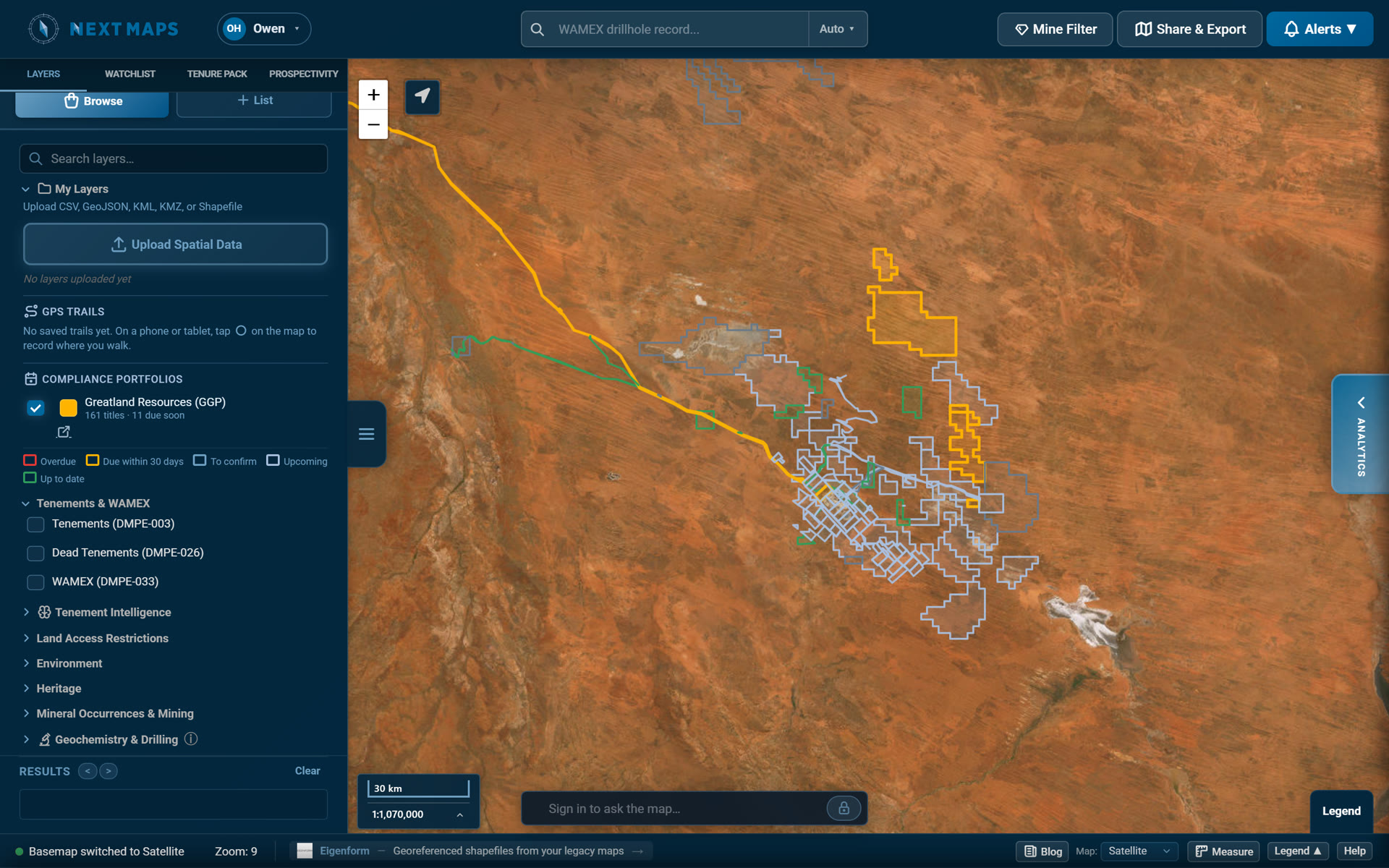
Click any tenement and its card shows which of your portfolios holds it, and adds it to one in a click. In a portfolio's settings, Watch the ground around these titles creates one area alert over your titles plus about 2 km, so you hear when ground next door is pegged or dropped. The compliance manager covers the deadlines on your own titles, and alerts cover what happens around them.
Where the dates come from
Every date is worked out from the DMPE mineral titles register: commencement and anniversary dates, rent payments, expenditure years, exemptions, combined reporting groups and dealings. NextMaps reads it every morning.
In September we ran it across all 23,614 live titles in WA. It agreed with the department's own rent and Form 5 status flags on all but eight, and each of those eight was a title whose anniversary fell on the day of the extract.
Two honest limits. The register is only as fresh as its daily extract, so a payment made today can take a day or two to show as done. And it is a second pair of eyes, not legal advice: confirm anything that matters in Mineral Titles Online before you act on it.
Who it is for, and what it costs
Most WA titles are looked after by someone other than the holder, so the compliance manager is built for title managers as much as for explorers running their own ground. Use one portfolio per client, and share it with that client for free.
It is part of NextMaps Pro, priced per user: up to 10 portfolios and 500 titles.
See how the compliance manager works, or open it now if you are on Pro.
Track WA tenements and find ground to peg, sell or buy
NextMaps gives exploration companies and investors instant visibility over the full WA tenement landscape.
Get started →